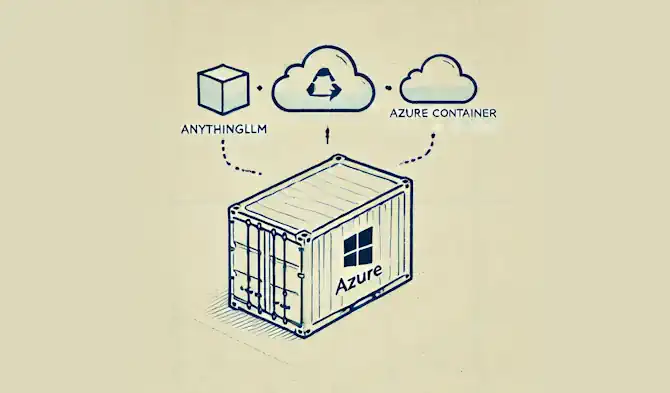
tl;dr Some notes on deploying AnythingLLM in an Azure Container Instance using Bicep, ensuring persistent storage. AnythingLLM allows you to use multiple LLMs, using your existing API keys, with one UI.
Introduction#
🤖 I created this article, but it has been reviewed and refined with help from AI tools: GPT-4o and Grammarly.
Azure Container Instances (ACI) offer a quick and straightforward way to run containers in the cloud without managing the underlying infrastructure. AnythingLLM is an interesting project which provides an LLM chat interface allowing you to configure your own API keys for a variety of LLMs (e.g. OpenAI, Anthropic, Google and others).
The LLM field shifts regularly, so it helps not to be tied to a subscription for any particular one. Instead you can buy API credits for a few dollars each for a number of different LLMs and get an API key for each. You can then plug the API key into AnythingLLM and interact with each of them from the same UI.
AnythingLLM can be downloaded as a desktop app here. This will be all most people need. If you use multiple machines and want an instance you can access from each of them, an alternative is to deploy AnythingLLM into the cloud. Deploying your very own instance of AnythingLLM into Azure means you can access it from any browser any time you need it.
NOTE: One limitation is that ACI does not natively support HTTPS, which is a must-have for secure communication over the web. To overcome this limitation, we can use Caddy. I’ll be using that here and I discussed that in more detail in a similar previous post.
Bicep Template#
To deploy our solution, we’ll use the following Bicep code to provision a container group with two containers: Caddy and the AnythingLLM app. The Caddy container will handle HTTPS traffic, forwarding requests to the AnythingLLM container. I also have a GitHub repository where this and other example Bicep templates can be found.
main.bicep#
The main.bicep file defines the parameters for the deployment and includes two modules: one for creating a storage account and file shares and another for deploying the ACI container group.
 1
 2
 3
 4
 5
 6
 7
 8
 9
10
11
12
13
14
15
16
17
18
19
20
21
22
23
24
25
26
27
28
29
30
31
32
33
34
35
36
37
38
39
40
41
42
43
44
45
46
47
48
| @description('The location to deploy the resources to.')
param location string = 'australiaeast'
@description('The name of the container group to create.')
param containerGroupName string
@description('The name of the storage account to create.')
param storageAccountName string
@description('Set this if you are using a custom domain, e.g. via CloudFlare or similar.')
param overridePublicUrl string = ''
@description('Set this to the time zone you want to use.')
param timeZone string = 'Australia/Brisbane'
@secure()
@description('The password for the admin user. This value is used to authenticate to the AnythingLLM admin panel.')
param secureAuthToken string
@secure()
@description('Random string for seeding. Please generate random string at least 12 chars long.')
param secureJwtSecret string
@description('Create a storage account and file shares to persist data for the AnythingLLM and Caddy containers.')
module storageAccount './storage-account.bicep' = {
name: 'allmStorageAccount'
params: {
location: location
storageAccountName: storageAccountName
containerGroupName: containerGroupName
}
}
@description('Create an ACI container group to run the AnythingLLM and Caddy containers.')
module allmAci './aci.bicep' = {
name: 'allmAci'
params: {
location: location
storageAccountName: storageAccountName
containerGroupName: containerGroupName
timeZone: timeZone
allmStorageFileShareName: storageAccount.outputs.allmStorageFileShare
caddyDataFileShareName: storageAccount.outputs.caddyDataFileShareName
overridePublicUrl: overridePublicUrl
secureAuthToken: secureAuthToken
secureJwtSecret: secureJwtSecret
}
}
|
storage-account.bicep#
The storage-account.bicep file creates a storage account and a file share which is used by the Caddy and AnythingLLM containers to persist data.
 1
 2
 3
 4
 5
 6
 7
 8
 9
10
11
12
13
14
15
16
17
18
19
20
21
22
23
24
25
26
27
28
29
30
31
32
33
34
35
36
37
38
39
40
41
42
43
44
45
46
47
48
49
50
51
52
53
54
55
56
57
58
59
60
61
62
63
64
65
66
67
68
69
70
71
72
73
74
75
76
77
78
79
| param location string
param containerGroupName string
param storageAccountName string
resource storageAccount 'Microsoft.Storage/storageAccounts@2023-05-01' = {
name: storageAccountName
location: location
sku: {
name: 'Standard_LRS'
}
kind: 'StorageV2'
properties: {
dnsEndpointType: 'Standard'
allowedCopyScope: 'AAD'
allowCrossTenantReplication: false
isSftpEnabled: false
isNfsV3Enabled: false
minimumTlsVersion: 'TLS1_2'
allowBlobPublicAccess: false
allowSharedKeyAccess: true
largeFileSharesState: 'Enabled'
isHnsEnabled: true
supportsHttpsTrafficOnly: true
accessTier: 'Hot'
encryption: {
requireInfrastructureEncryption: true
services: {
file: {
enabled: true
keyType: 'Account'
}
}
keySource: 'Microsoft.Storage'
}
networkAcls: {
bypass: 'AzureServices'
defaultAction: 'Allow'
}
}
}
resource fileServices 'Microsoft.Storage/storageAccounts/fileServices@2023-05-01' = {
parent: storageAccount
name: 'default'
properties: {
protocolSettings: {
smb: {
versions: 'SMB3.0'
}
}
shareDeleteRetentionPolicy: {
enabled: false
allowPermanentDelete: true
}
}
}
resource caddyDataFileShare 'Microsoft.Storage/storageAccounts/fileServices/shares@2023-05-01' = {
parent: fileServices
name: '${containerGroupName}-caddydata'
properties: {
shareQuota: 10
accessTier: 'TransactionOptimized'
enabledProtocols: 'SMB'
}
}
resource allmStorageFileShare 'Microsoft.Storage/storageAccounts/fileServices/shares@2023-05-01' = {
parent: fileServices
name: '${containerGroupName}-allmstorage'
properties: {
shareQuota: 10
accessTier: 'TransactionOptimized'
enabledProtocols: 'SMB'
}
}
output caddyDataFileShareName string = caddyDataFileShare.name
output allmStorageFileShare string = allmStorageFileShare.name
|
aci.bicep#
The aci.bicep file defines the container group, specifying the properties for both the Caddy container and the AnythingLLM container:
KEY POINT#
The key thing here is the customised command for the AnythingLLM container. Currently, AnythingLLM only lets you configure the data storage directory. It persists its config data in an .env file in a different folder that can’t be mapped (ACI doesn’t allow mapping of individual files).
So to work around this we can use a symlink to map the .env file into the mounted storage folder, like so: ln -sf /app/server/storage/.env /app/server/.env. This means that when we restart the container the configuration will be persisted.
  1
  2
  3
  4
  5
  6
  7
  8
  9
 10
 11
 12
 13
 14
 15
 16
 17
 18
 19
 20
 21
 22
 23
 24
 25
 26
 27
 28
 29
 30
 31
 32
 33
 34
 35
 36
 37
 38
 39
 40
 41
 42
 43
 44
 45
 46
 47
 48
 49
 50
 51
 52
 53
 54
 55
 56
 57
 58
 59
 60
 61
 62
 63
 64
 65
 66
 67
 68
 69
 70
 71
 72
 73
 74
 75
 76
 77
 78
 79
 80
 81
 82
 83
 84
 85
 86
 87
 88
 89
 90
 91
 92
 93
 94
 95
 96
 97
 98
 99
100
101
102
103
104
105
106
107
108
109
110
111
112
113
114
115
116
117
118
119
120
121
122
123
124
125
126
127
128
129
130
131
132
133
134
135
136
137
138
139
140
141
142
143
144
145
146
147
148
149
150
151
152
153
154
155
156
157
158
159
| param location string
param containerGroupName string
param storageAccountName string
param timeZone string
param caddyDataFileShareName string
param allmStorageFileShareName string
param overridePublicUrl string = ''
@secure()
param secureAuthToken string
@secure()
param secureJwtSecret string
var publicUrl = empty(overridePublicUrl)
? toLower('${containerGroupName}.${location}.azurecontainer.io')
: overridePublicUrl
var allmPort = 3001
resource storageAccount 'Microsoft.Storage/storageAccounts@2023-05-01' existing = {
name: storageAccountName
}
resource containerGroup 'Microsoft.ContainerInstance/containerGroups@2024-05-01-preview' = {
name: containerGroupName
location: location
properties: {
sku: 'Standard'
containers: [
{
name: '${containerGroupName}-caddy'
properties: {
// https://hub.docker.com/_/caddy
image: 'docker.io/caddy:latest'
command: [
'caddy'
'reverse-proxy'
'--from'
'${publicUrl}'
'--to'
'localhost:${allmPort}'
]
resources: {
requests: {
cpu: 1
memoryInGB: 1
}
}
ports: [
{
protocol: 'TCP'
port: 443
}
{
protocol: 'TCP'
port: 80
}
]
volumeMounts: [
{
name: caddyDataFileShareName
mountPath: '/data'
readOnly: false
}
]
}
}
{
name: '${containerGroupName}-allm'
properties: {
// https://hub.docker.com/r/mintplexlabs/anythingllm
image: 'mintplexlabs/anythingllm:latest'
resources: {
requests: {
cpu: 1
memoryInGB: 3
}
}
command: [
'bash'
'-c'
// The AnythingLLM .env file is one level up from the storage directory so we create a symlink to it.
'touch /app/server/storage/.env && ln -sf /app/server/storage/.env /app/server/.env && /usr/local/bin/docker-entrypoint.sh'
]
ports: [
{
port: allmPort
protocol: 'TCP'
}
]
volumeMounts: [
{
name: allmStorageFileShareName
mountPath: '/app/server/storage'
readOnly: false
}
]
environmentVariables: [
// https://github.com/Mintplex-Labs/anything-llm/blob/master/server/.env.example
{
name: 'TZ'
value: timeZone
}
{
name: 'STORAGE_DIR'
value: '/app/server/storage'
}
{
name: 'DISABLE_TELEMETRY'
value: 'true'
}
{
name: 'AUTH_TOKEN'
value: secureAuthToken
}
{
name: 'JWT_SECRET'
value: secureJwtSecret
}
]
}
}
]
osType: 'Linux'
restartPolicy: 'Never'
ipAddress: {
type: 'Public'
dnsNameLabel: containerGroupName
ports: [
{
protocol: 'TCP'
port: 443
}
{
protocol: 'TCP'
port: 80
}
]
}
volumes: [
{
name: caddyDataFileShareName
azureFile: {
shareName: caddyDataFileShareName
storageAccountName: storageAccount.name
storageAccountKey: storageAccount.listKeys().keys[0].value
readOnly: false
}
}
{
name: allmStorageFileShareName
azureFile: {
shareName: allmStorageFileShareName
storageAccountName: storageAccount.name
storageAccountKey: storageAccount.listKeys().keys[0].value
readOnly: false
}
}
]
}
}
|
Deployment#
To deploy the Bicep template, you will need the Azure CLI installed. Follow these steps to deploy the solution:
Create an .env file. Populate the .env file with the following values:
1
2
3
4
| TENANT_ID=
SUBSCRIPTION_ID=
RESOURCE_GROUP=
LOCATION=
|
Create a parameters.json file. Populate the parameters.json file with the following initial values and update for your needs:
timeZone: Set this to the time zone you want to use. e.g. Australia/BrisbanecontainerGroupName: The name of the container group to create.storageAccountName: The name of the storage account to create.overridePublicUrl: If you want to use a custom domain name set that to your url (e.g. anythingllm.example.com). Then in your DNS provider you will need to create a CNAME record that points anythingllm.example.com to the url of the container group which will be in the form <container-group-name>.<location>.azurecontainer.iosecureAuthToken: The password for the admin user. This value is used to authenticate to the AnythingLLM admin panel.secureJwtSecret: Random string for seeding. Generate random string at least 12 chars long.
 1
 2
 3
 4
 5
 6
 7
 8
 9
10
11
12
13
14
15
16
17
18
19
20
21
22
23
24
| {
"$schema": "https://schema.management.azure.com/schemas/2019-04-01/deploymentParameters.json#",
"contentVersion": "1.0.0.0",
"parameters": {
"timeZone": {
"value": "<timeZone>"
},
"containerGroupName": {
"value": "<containerGroupName>"
},
"storageAccountName": {
"value": "<storageAccountName>"
},
"overridePublicUrl": {
"value": "<overridePublicUrl>"
},
"secureAuthToken": {
"value": "<secureAuthToken>"
},
"secureJwtSecret": {
"value": "<secureJwtSecret>"
}
}
}
|
Save and run the PowerShell script to deploy the resources:
 1
 2
 3
 4
 5
 6
 7
 8
 9
10
11
12
13
14
15
16
17
18
19
20
21
22
23
24
25
26
27
28
| # Load .env file and set environment variables
$envFilePath = ".env"
if (Test-Path $envFilePath) {
Get-Content $envFilePath | ForEach-Object {
if ($_ -match "^\s*([^#][^=]+)=(._)\s_$") {
$name = $matches[1]
$value = $matches[2]
[System.Environment]::SetEnvironmentVariable($name, $value, "Process")
Write-Host "env variable: $name=$value"
}
}
}
$tenantId = [System.Environment]::GetEnvironmentVariable("TENANT_ID", "Process")
$subscriptionId = [System.Environment]::GetEnvironmentVariable("SUBSCRIPTION_ID", "Process")
$resourceGroup = [System.Environment]::GetEnvironmentVariable("RESOURCE_GROUP", "Process")
$location = [System.Environment]::GetEnvironmentVariable("LOCATION", "Process")
az config set core.login_experience_v2=off # Disable the new login experience
az login --tenant $tenantId
az account set --subscription $subscriptionId
az group create --name $resourceGroup --location $location
az deployment group create `
--resource-group $resourceGroup `
--template-file main.bicep `
--parameters parameters.json
|
Note: This script will use the values in the .env file and parameters.json to deploy the container group.
Once deployed, if all has worked as expected, when you browse to your container group url you should see the following screen.
Note, the url will be in the following form https://<container-group-name>.<location>.azurecontainer.io. If you used a custom url you’ll need to use that, the container group url won’t work.
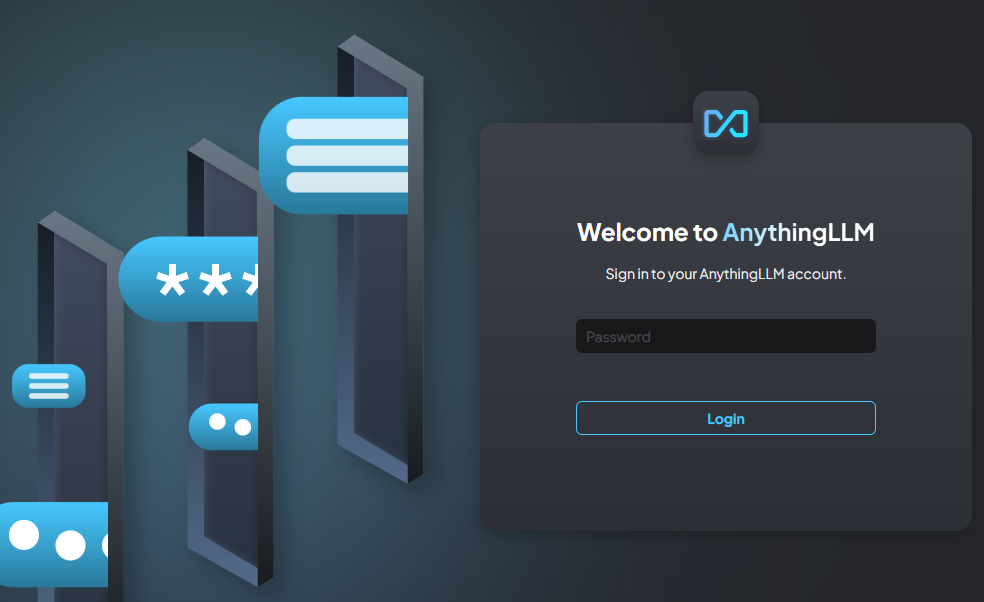
You can now set up and configure it as needed. Refer to the AnythingLLM docs for more info.
Conclusion#
You now have your own AnythingLLM instance running in an Azure Container Instance, reachable from any browser over HTTPS, with its configuration persisted across container restarts. When you want to try a different LLM, you add an API key rather than another subscription.
Feel free to share your experiences, questions, or improvements in the comments!
Thanks for reading.